Up Cloud Gaming family and safety settings are about making streamed games a comfortable part of a household: the right accounts, the right games, sensible time routines, and clear habits around spending and online contact. None of it requires technical expertise — it requires setting things up deliberately once.
This guide walks through the practical steps for families using Up Cloud Gaming for Android, from account ownership to the conversations that matter more than any toggle.
Start With the Account Setup
Family safety begins with who holds the account. For younger players, a parent or guardian should own the account credentials, know the recovery email, and be the person who receives sign-in alerts. That single arrangement makes every other control easier, because nothing important can change without the account holder seeing it.
Set the account up together rather than handing over a finished login. Walking through sign-in, downloads, and where settings live turns the setup itself into the first safety lesson, and our guide to installing Up Cloud Gaming on Android gives you the steps to follow side by side.
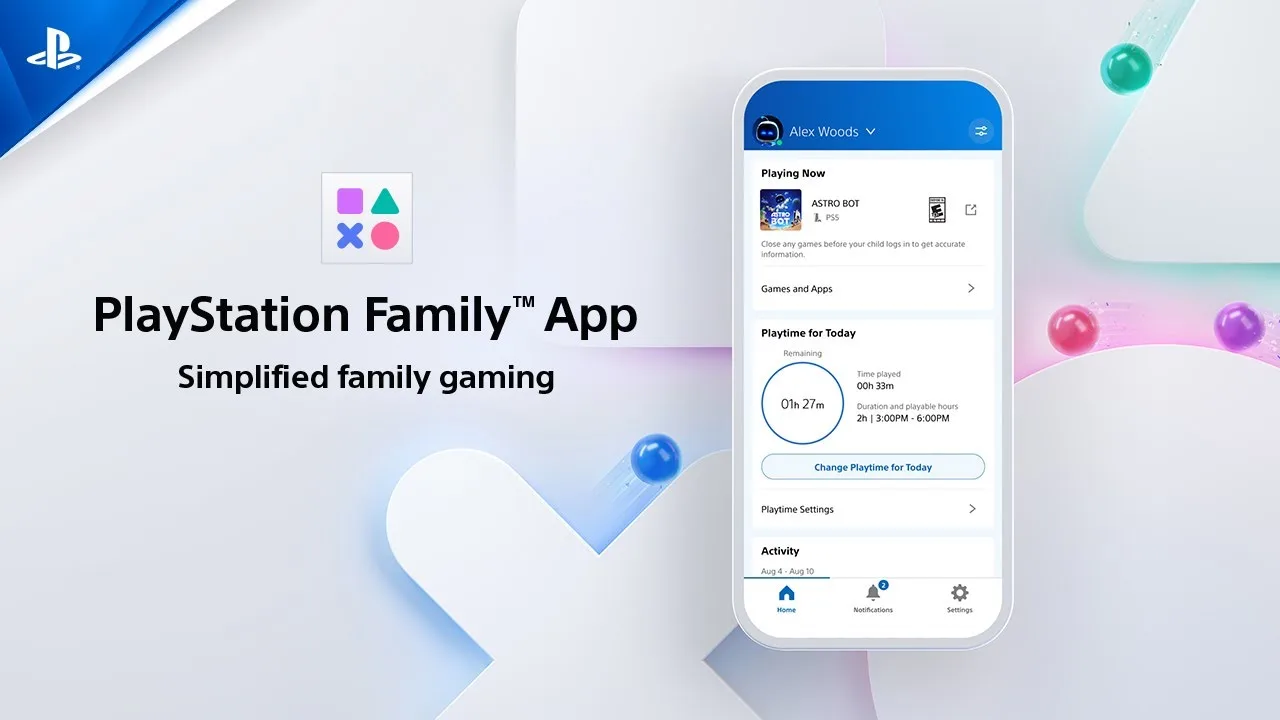
Devices themselves offer a second layer worth using: the phone's own screen-time tools, app limits, and purchase confirmations apply regardless of the game being played. Combining platform habits with the phone's built-in family controls gives a household two independent safety nets, and setting both up on the same afternoon keeps the conversation in one natural place.
Choosing Age-Appropriate Games
Every game carries an age rating for a reason, and streaming makes the whole library easy to browse — which means guidance matters more, not less. Review ratings before a game becomes a favourite, look at what the gameplay actually involves, and keep a household list of approved titles for younger players.
Discovery is healthy when it is supervised. Mainstream genres — racing, sports, family adventures, and building games — make a good starting shelf: they are clearly explained in their listings, easy to check before anyone presses play, and simple to expand gradually as younger players show good judgement about what suits them.
Ratings deserve one honest caveat: they describe content, not quality or suitability for a particular child. Two games with the same rating can feel entirely different in tone, and siblings of the same age can handle the same game differently. Use ratings as the first filter, then apply the irreplaceable second filter — your own knowledge of your child, refreshed by occasionally watching a session. No system of labels, however careful, knows that one child laughs at cartoon peril while another lies awake over it. That knowledge is parental, not technical, and the settings work best when they support it rather than substitute for it.
Time, Sessions, and Healthy Routines
The most effective family control is a routine everyone agrees on: agreed session lengths, no play after a set hour, and devices charging outside bedrooms overnight. Cloud gaming helps here in one specific way — sessions can end cleanly at a checkpoint and resume tomorrow, because progress follows the account.
Use the game's own breaks. Finishing a race, a match, or a chapter is a natural stopping point; mid-action cut-offs breed conflict. Agree the stopping rule in advance — last game, last lap, next save point — and hold it kindly but consistently.
Sleep is the argument that convinces most families. Games are stimulating, screens are bright, and a stream makes starting one more session effortless. A household rule that play ends an hour before bed protects sleep better than any argument about willpower, and it applies to adults too — modelling the rule is what makes it stick with children.
Spending and Account Awareness
Keep payment methods under the account holder's control, and review any in-game purchase prompts with younger players rather than letting stored payment details make decisions silently. If a device is shared, sign out after sessions so the next person starts from their own space.
The account practices in our Up Cloud Gaming sign-in and account help guide — strong passwords, current recovery details, recognising unfamiliar sign-ins — apply doubly to family accounts, where more hands touch the same login.
Talking About Online Play
Many games include voice or text chat with strangers. Talk about it directly: what is fine to share (nothing personal), how to mute or block, and when to fetch an adult. Children follow rules they helped shape far better than rules imposed without explanation.
Finally, play together sometimes. Shared sessions teach judgement better than any setting, show you exactly what your children enjoy, and turn supervision into something that feels like interest rather than inspection.
Revisit the arrangement as children grow. Settings that fit a nine-year-old will insult a fourteen-year-old, and loosening them deliberately, in conversation, teaches exactly the judgement the settings were protecting. Family safety is not a wall you build once; it is a fence you move, together, as the people inside it get taller.
Final Thoughts
Good family settings are mostly good family habits: an adult owns the account, ratings guide the library, time rules are agreed in advance, and online play is talked about openly. Set that foundation once, review it as children grow, and cloud gaming stays what it should be — a shared pleasure, not a worry.
Keep the tone practical throughout. Children absorb the emotional register of these arrangements: safety handled calmly and matter-of-factly becomes part of how they treat every service they join later, long after this particular app is forgotten. That lasting digital judgement — sceptical of strangers, careful with accounts, honest about time — is the real family setting, and it is configured by example, not by menus.